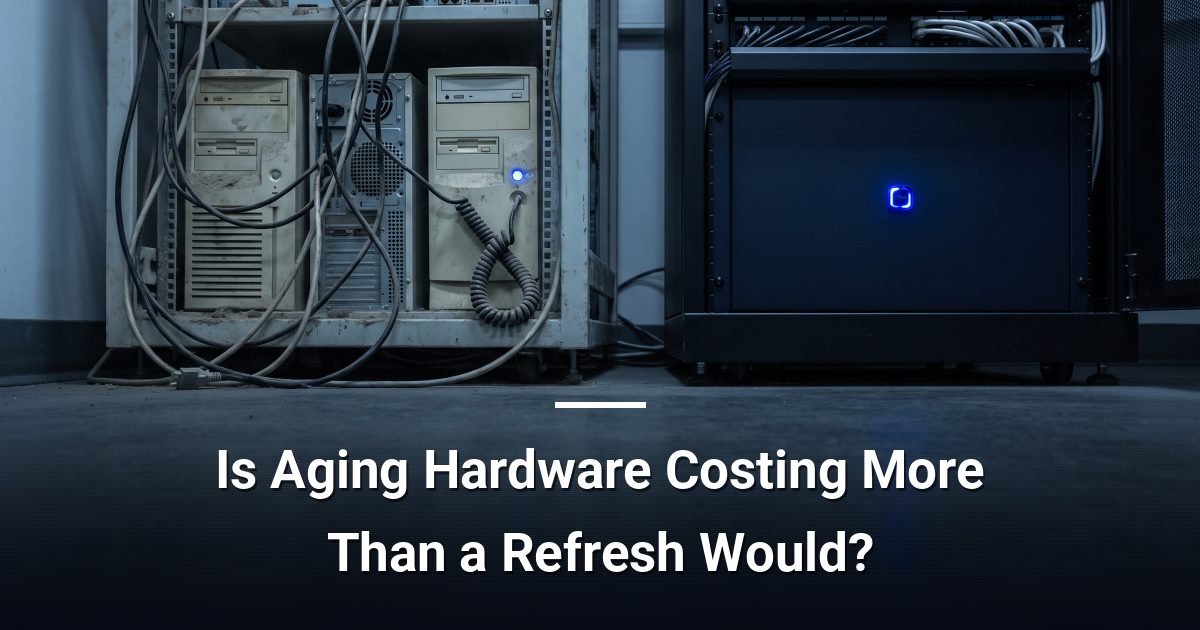
Is Aging Hardware Costing More Than a Refresh Would?
Aging hardware costs go far beyond repair bills. Discover how downtime, security gaps, and energy waste compare to the true price of a planned hardware refresh.
Key Takeaways
- Repair costs on hardware older than five years often exceed replacement value within one or two service cycles.
- Slow or failing machines create measurable productivity losses that never appear on an IT invoice.
- Hardware that cannot run current operating system versions cannot receive security patches, leaving your network exposed.
- Older devices typically draw more power than modern equivalents, adding a recurring and overlooked cost to monthly overhead.
- A planned refresh cycle converts unpredictable emergency spending into a foreseeable, budgetable capital expense.
Aging hardware costs accumulate across four separate areas — repair bills, staff downtime, security exposure, and energy waste — none of which appear together on a single invoice. Understanding the full picture is what allows you to compare the real cost of keeping old equipment against the cost of replacing it on a planned schedule.
What Does Aging Hardware Actually Cost You?
Most organisations track what they spend on repairs. Very few track what they lose while the repair is happening. When a workstation fails, the employee waiting on it is still on the clock. When a server runs slowly, everyone touching it loses small fragments of time that compound across a full workday.
The real cost has four distinct components:
- Repair and parts costs — rising steeply after the five-year mark as components become scarce and labour hours increase.
- Lost productivity — slow boot times, application crashes, and unplanned outages that interrupt focused work.
- Security exposure — hardware that cannot support current operating system versions or firmware updates creates vulnerabilities that attackers actively seek out.
- Energy waste — older devices draw more power for the same or lesser output compared to current-generation equipment.
How Do Repair Costs Compare to Replacement?
A single out-of-warranty repair can run from a few hundred to well over a thousand dollars once you factor in parts, labour, and diagnosis time. A machine that requires two or three repairs in a single year has likely already exceeded its replacement value in service costs alone. Add the staff time lost during each incident and the gap widens further.
Emergency replacements — where hardware fails suddenly with no budget set aside — are consistently more expensive than planned refreshes. Rushed procurement, expedited shipping, and emergency data recovery all carry premium price tags that a scheduled cycle avoids entirely.
Why Is Security Exposure a Financial Risk?
Hardware that cannot run a supported operating system is hardware that cannot receive security patches. That is not a theoretical concern. Running unsupported endpoints can affect your cyber liability coverage eligibility or increase your renewal premiums — insurers increasingly ask about unsupported devices during policy reviews.
Older network equipment such as switches and routers may also lack the firmware support needed to close known vulnerabilities. A hardware refresh is not just a performance decision; it is a security boundary decision.
What Is the Energy Cost You Are Not Measuring?
Power consumption is easy to overlook because it blends into general overhead. Older workstations and servers were built to different efficiency standards than current-generation equipment. Modern devices deliver substantially better performance per watt.
Across a team of ten or twenty machines running eight hours a day, the difference in electricity costs between an ageing fleet and a current one is real and recurring. It does not appear on an IT invoice, which is exactly why it goes unnoticed.
How Does a Planned Refresh Cycle Change the Numbers?
A hardware refresh cycle — typically every three to five years depending on workload — converts unpredictable capital expenditure into a manageable, foreseeable cost. You can budget for it, align it to your fiscal year, and avoid the compounding losses that come from running equipment past its useful life.
The comparison worth making is not new hardware cost versus zero. It is new hardware cost versus the combined total of repairs, downtime, energy premium, and security risk carried over the same period. When you lay those numbers side by side, a planned refresh almost always comes out ahead.
Ready to See Where Your Hardware Budget Is Going?
If you are unsure whether your current equipment is costing more than it should, a structured assessment gives you clear, specific answers. Start with a cybersecurity and infrastructure risk assessment to get an honest picture of where aging hardware is creating financial drag — and what a practical refresh plan would look like for your situation.
Darryl Cresswell
CEO & President
MYDWARE IT Solutions Inc.