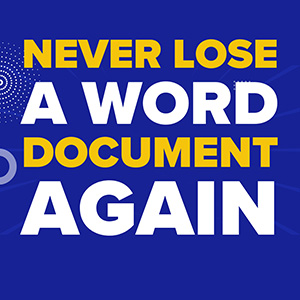
Ever accidentally closed a Word document without saving, losing hours of work? Microsoft has made that problem almost disappear.
For GTA and Simcoe County businesses, this update means less stress and more productivity. Book a FREE Cybersecurity Risk Assessment NOW! to ensure your data is protected before syncing sensitive files to the cloud.
Automatic Backups Make Life Easier
Microsoft now enables autosave by default, storing new Word documents directly to OneDrive. Your work is backed up instantly and accessible from any device.
1. Instant Cloud Saving
No more worrying about power outages, crashes, or accidental closures. Your report, invoice, or proposal is saved automatically and ready whenever you need it.
2. Pick Up Anywhere
Autosave means you can switch devices without losing progress. Start on your laptop, continue on your tablet, and your document is always up to date.
3. Peace of Mind
Even if you close a file accidentally, it’s safe in the cloud. The days of panicking over unsaved work are over.
Balancing Convenience and Control
Not everyone loves automatic cloud backups. Some prefer choosing where files live, especially sensitive documents. This is where having a professional Managed IT Services partner can help SMBs navigate safe cloud usage.
1. Privacy Concerns
Microsoft secures your files so only you can access them, but local storage gives some people more peace of mind. Understanding your options keeps sensitive data protected.
2. Flexibility
Autosave can be turned off. You can manually save files if you prefer, keeping control over your workflow.
Copilot AI Adds Extra Productivity
OneDrive isn’t just about storage. With Copilot AI integration, you can ask it to find, summarize, or edit documents directly. No more endless folder searches or lost filenames.
1. AI-Powered Assistance
Copilot can help create reports, polish text, or compile information from multiple documents. It’s like having a virtual assistant inside Word, saving time and reducing mistakes.
2. Streamlined Workflow
The combination of autosave and Copilot AI reduces friction between tasks. You can focus on delivering results instead of chasing files.
Is This Right for Your Business?
Whether you value simplicity or privacy, this update is a game-changer for productivity in 2025. Book a FREE Cybersecurity Risk Assessment NOW! to ensure your data is safe while taking full advantage of autosave and Copilot.
Microsoft’s shift toward cloud-first document management means small businesses can finally stop losing work, streamline workflows, and embrace smarter technology. Your unsaved masterpieces are officially safe.
Darryl Cresswell
CEO & President
MYDWARE IT Solutions Inc.